Why Your Facebook Ad Account Got Restricted & How to Fix It

- March 20, 2025
Table of Contents
Have you ever logged into your Facebook Business Manager only to find your ad account restricted without warning? You’re not alone—Facebook restricts thousands of ad accounts every month. If your Facebook ad account has been restricted, it can impact your business significantly. This article will explore the common reasons why Facebook restricts ad accounts and provide actionable steps to resolve the issue and prevent future restrictions.
Common Reasons for Facebook Ad Account Restrictions
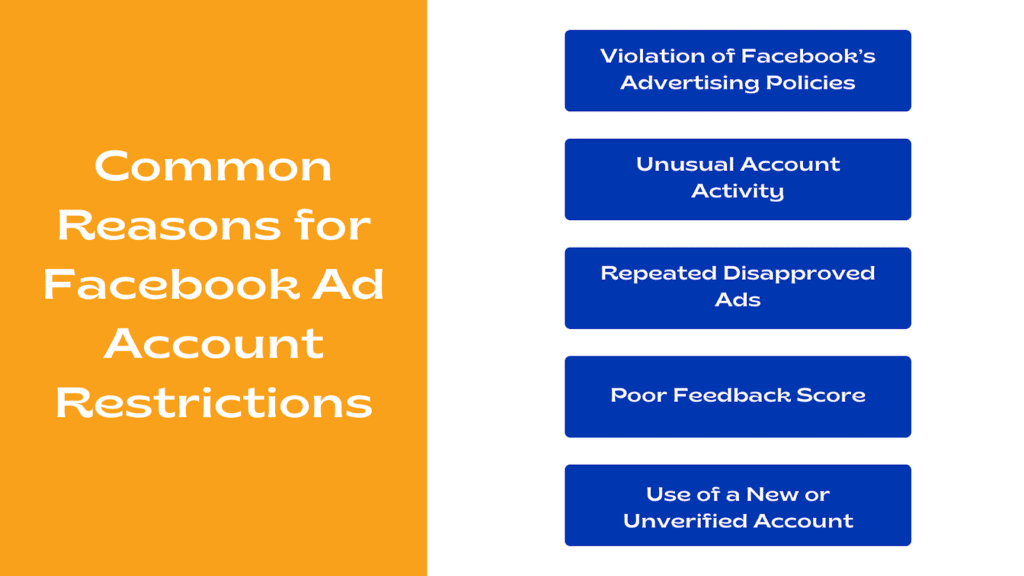
Understanding why your account was restricted is the first step in fixing the issue. Below is a summary of the most common restriction reasons:
- Violation of Facebook’s Advertising Policies
- Facebook has strict advertising policies regarding prohibited and restricted content.
- Common violations include misleading claims, adult content, or inappropriate language.
- Unusual Account Activity
- Sudden spikes in ad spending or login attempts from different locations may trigger a restriction.
- Facebook uses automated systems to detect suspicious activity.
- Repeated Disapproved Ads
- If your ads frequently get rejected due to policy violations, Facebook may restrict your account.
- Avoid misleading images, exaggerated claims, or any content that violates advertising guidelines.
- Poor Feedback Score
- Low customer feedback scores due to misleading ads or poor service can lead to restrictions.
- Customers can report misleading or low-quality experiences, which impacts your account’s credibility. You can check your Facebook Page Feedback Score.
- Use of a New or Unverified Account
- Running ads from a brand-new or unverified account can raise red flags.
- Establishing credibility with Facebook helps in preventing restrictions.
How to Fix a Restricted Facebook Ad Account
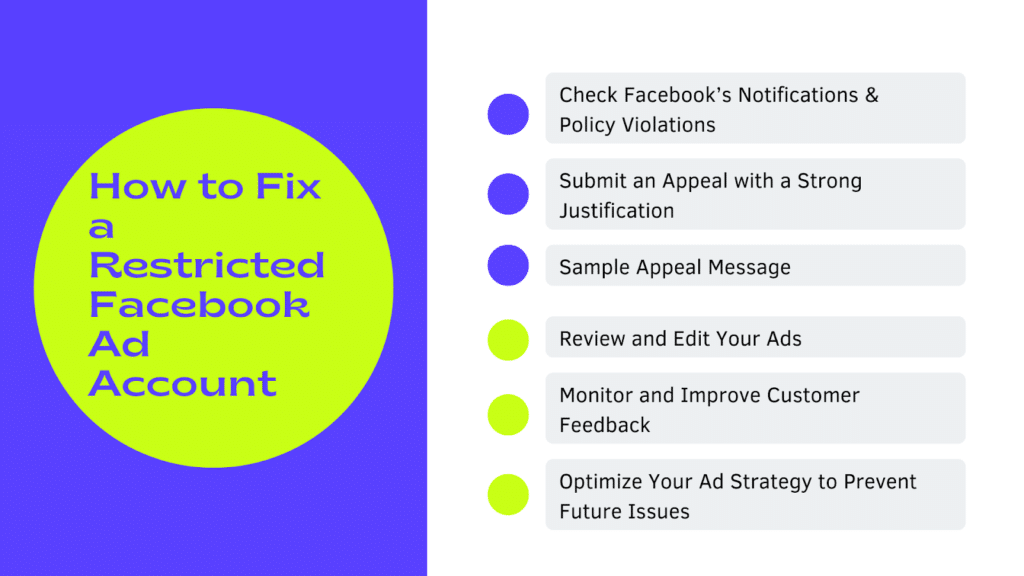
If your account is restricted, don’t panic! Follow these steps to attempt a resolution:
- Check Facebook’s Notifications & Policy Violations
- Go to Facebook Business Manager and check the ‘Account Quality’ section.
- Look for any flagged policy violations and review the reason for the restriction.
- Submit an Appeal with a Strong Justification
- If your account was mistakenly restricted, submit an appeal through Facebook’s Support.
- Be clear and professional in your message.
- Address the issue directly, explaining any corrective actions taken.
- Provide any necessary documentation, such as proof of business verification or ad policy compliance.
- Sample Appeal Message:‘’Dear Facebook Support, I recently noticed that my ad account has been restricted. After reviewing Facebook’s policies, I understand the importance of compliance and have taken corrective actions, including modifying ad content and verifying my business details. I kindly request a review of my account, as I believe this restriction may have been an error. Thank you for your time and assistance.’’
- Review and Edit Your Ads
- Analyze past ad rejections and modify your ad content to comply with Facebook’s Ad Policies.
- Use Facebook’s Ad Review Tool: Before running your ads, use Facebook’s built-in ad review tool to check for potential policy violations.
- Avoid Prohibited Content: Ensure your ads do not include misleading claims, deceptive offers, or low-quality landing pages.
- Monitor and Improve Customer Feedback
- Address customer concerns and improve service quality to boost your feedback score.
- Engage with users in comments and resolve complaints quickly.
- Encourage satisfied customers to leave positive feedback.
- Regularly review your customer experience scores in Facebook’s Business Manager.
- Optimize Your Ad Strategy to Prevent Future Issues
- Monitor Performance Metrics: Regularly check ad performance for unusual spikes in negative feedback or engagement rates.
- A/B Test Your Ads: Experiment with different ad creatives and copy to identify what resonates best with your audience while remaining policy-compliant.
- Stay Transparent: Clearly state your product or service offerings without using misleading language or overpromising results.
- Review Facebook’s Ad Policy Regularly: Policy changes can impact what is allowed in ads, so staying informed helps prevent unnecessary restrictions.
Preventing Future Restrictions
To avoid getting your Facebook ad account restricted in the future, follow these best practices:
- Stay Updated on Facebook’s Policies – Regularly check Facebook’s ad policies to ensure compliance.
- Use a Trusted Business Manager Account – Avoid using new or unverified accounts to run ads.
- Maintain a Healthy Customer Feedback Score – Provide accurate product descriptions and quality service.
- Monitor Account Activity Regularly – Keep an eye on ad performance, especially sudden changes in engagement, to avoid penalties.
- Limit Policy Violations – Repeated violations increase the chances of permanent account bans.
- Ensure Proper Ad Copy Compliance – Follow Facebook’s ad guidelines on text, images, and claims.
- Use Facebook’s Ad Review Tool – This helps you pre-check if your ads meet Facebook’s advertising policies before publishing them.
Frequently Asked Questions (FAQ)
Q: How long does it take to recover a restricted Facebook ad account? A: It varies. Some restrictions are lifted within 24-48 hours, while others can take weeks if a manual review is required.
Q: Can I create a new Facebook ad account if mine is restricted? A: Yes, but it is not always recommended. If the restriction is tied to your Business Manager, creating a new account may not solve the problem. Instead, try appealing the decision first.
Q: What happens if my appeal is denied? A: If your appeal is denied, consider seeking support from Facebook’s business help center or consulting a Facebook ad expert for further guidance.
Conclusion
Facebook ad account restrictions can be frustrating, but they are often preventable and fixable. By understanding the reasons for restrictions and following the right steps to resolve them, you can keep your ad account active and running smoothly.
To stay ahead, regularly review Facebook’s policy updates, use Facebook’s ad review tools to ensure compliance before launching ads, and monitor your feedback score to maintain credibility. By following these best practices, you can maximize the potential of Facebook advertising while minimizing risks.
Next-Level Growth with an Agency Ad Account
For businesses looking to scale their Facebook marketing campaigns with a reliable and proven approach, a Facebook Agency Ad Account is an excellent solution. With an agency account, you can:
- Rapidly scale your ad spend without unnecessary restrictions.
- Minimize the risk of costly, unexpected suspensions.
- Gain access to expert strategies that ensure compliance and maximize results.
If your business is ready to elevate its Facebook advertising game, book a free consultation with the Orange Trail team today. Our experts will provide tailored insights to help you grow your brand through effective Meta advertising strategies.
Share this post with: