Disabled Facebook Ad Account: Complete Recovery & Prevention Guide 2026
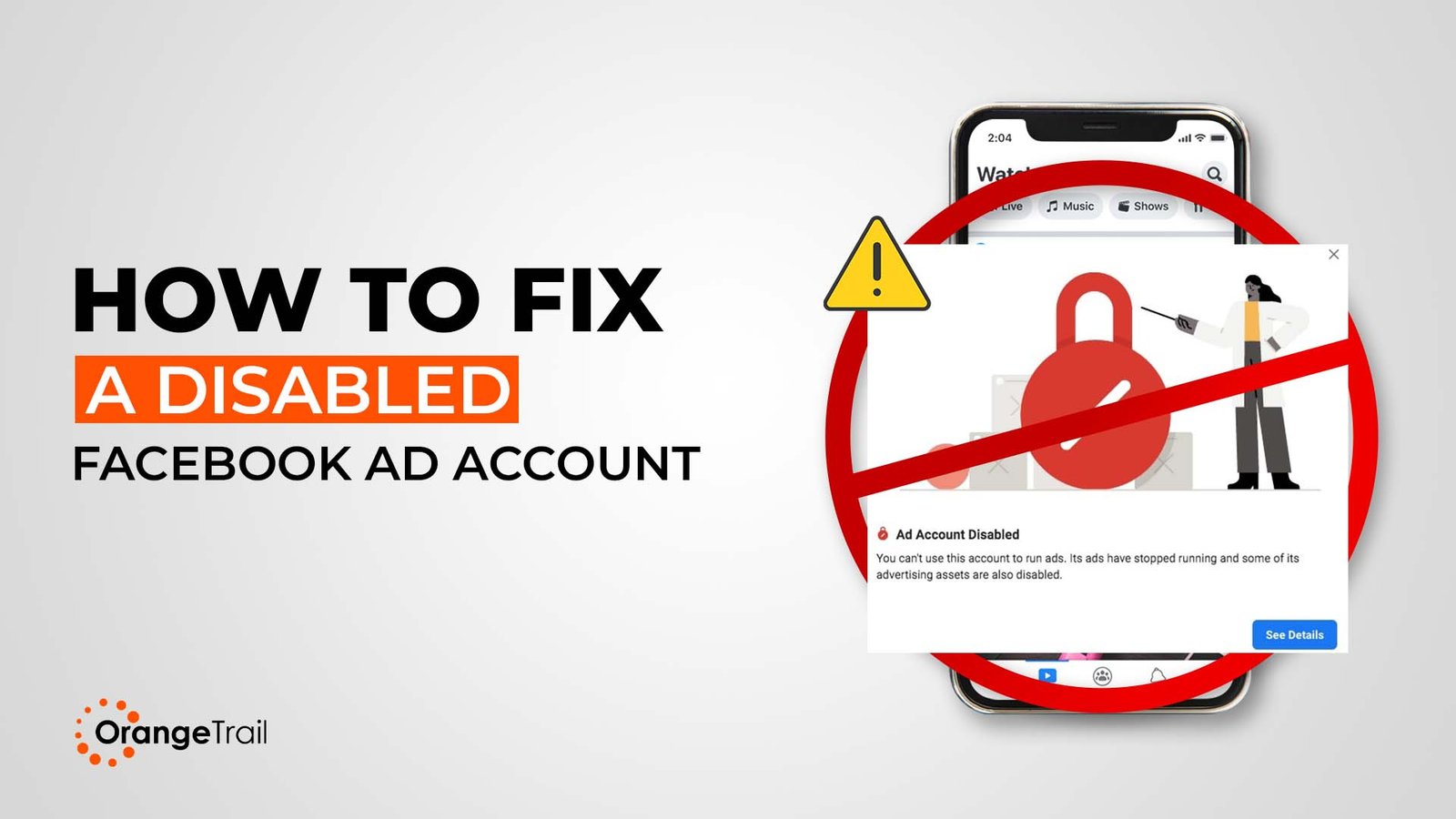
You open Ads Manager and the campaigns are gone. A banner sits where the dashboard used to be, and somewhere in your inbox is a notification that tells you very little about what actually happened. A disabled Facebook ad account is one of the more disruptive things that can happen to a business running paid media but it is recoverable in most cases, and the process is more structured than it feels in that first hour of panic. Here is the complete, step-by-step framework for getting back in, staying in, and protecting your account from here forward.
Quick recovery summary: A disabled Facebook ad account can be reinstated by submitting an appeal through Meta's Account Quality dashboard, providing the relevant business verification documents, and addressing the specific policy violation cited. Most appeals receive a response within 24–48 hours. Complex cases, particularly those involving verification failures or repeated violations, can take up to 30 days.
Immediate steps if your account is disabled right now:
- Check your email and Account Quality dashboard for the specific violation cited
- Review Meta's Advertising Policies to understand what was flagged
- Gather verification documents: business registration, government-issued ID, domain ownership proof
- Write a clear, professional appeal and submit it through the official form
- Wait for Meta's response before taking any further action do not submit multiple appeals
Why Was My Facebook Ad Account Disabled?
Understanding the specific reason behind your disabled Facebook ad account is the most important step toward a successful appeal. Submitting an appeal without addressing the actual cited violation is the most common reason appeals fail.
How to find your disablement reason:
Step 1: Check your notification email. Meta sends an email to your registered address explaining the disablement. Search your inbox including spam and promotions folders for messages from facebookmail.com, support.facebook.com, or meta.com.
Step 2: Access Account Quality. Navigate to Business Settings, then Account Quality, then Ad Account. This dashboard shows the specific policy violations flagged, which ads or assets were affected, your appeal options, and the current restriction level.
Step 3: Check Ads Manager directly. Log in to Facebook Ads Manager. Disabled accounts display a banner explaining the restriction with a direct link to more detail.
| Reason Category | Specific Violations | Recovery Difficulty |
|---|---|---|
| Policy violations | Prohibited content, misleading claims, restricted products | Medium |
| Payment issues | Failed payments, suspicious billing, chargebacks | Low to medium |
| Account security | Unusual login activity, suspected compromise | Medium |
| Business verification | Unverified business, documentation mismatch | Low |
| Circumvention | New accounts created after ban, policy evasion | High |
| Automated false positive | Meta's AI flagging legitimate activity | Medium |
| Quality issues | High negative feedback, poor relevance scores | Medium |
What Does It Mean When Facebook Disables Your Ad Account?
A disabled Facebook ad account means Meta has suspended your ability to run paid advertisements across Facebook, Instagram, Messenger, and the Audience Network. This is meaningfully different from an individual ad rejection; it is a platform-level action that stops all campaign activity.
| Status | What It Means | Can You Run Ads? | Recovery Path |
|---|---|---|---|
| Ad rejected | Specific ad violates policy | Yes, other ads continue | Edit or remove the rejected ad |
| Account restricted | Limited functionality, reduced reach | Partially | Address the flagged issues |
| Account disabled | Complete advertising suspension | No | Appeal required |
| Account banned | Permanent removal | No | Very limited options |
| Business Manager disabled | Entire business presence suspended | No | Complex appeal process |
Is a disabled account the same as a suspended one? Functionally, yes. Both describe the inability to run ads. Meta's official terminology uses "disabled" for advertising account suspensions. "Banned" typically indicates a more permanent action where appeal options are severely limited or absent entirely.
The distinction matters for your approach: a disabled account warrants an immediate, structured appeal. A banned account requires a more careful assessment of your options before acting.
What Triggers a Facebook Ad Account Ban?
Meta's enforcement combines automated AI detection with human review. The automated systems process millions of accounts daily which means false positives occur with some regularity but the primary triggers are well-documented.
Policy violations are the most common cause of a disabled Facebook ad account. Prohibited content categories include illegal products or services, discriminatory practices, tobacco and weapons, adult content, misleading health claims, get-rich-quick schemes, and counterfeit goods. If your creative, landing page, or offer touches any of these areas even incidentally the automated system may flag it.
Business integrity concerns include unverifiable business identity, mismatched information across your Business Manager and domain, suspicious ownership patterns, and multiple accounts sharing the same payment method.
Technical and payment triggers cover repeated payment failures, chargebacks or disputes, currency and location mismatches, and sudden changes in spending behaviour that pattern-match to fraud.
Automated detection without warning can happen when Meta's systems identify keywords associated with prohibited products in your ad copy, landing pages flagged by their crawler, payment information linked to previously banned accounts, or IP addresses associated with prior violations.
Important: Meta's automated systems are not infallible. A legitimate business can trigger enforcement incorrectly. This is exactly why the appeals process exists and why well-prepared appeals frequently succeed even against what initially appears to be a firm decision.
How Can I Get a Disabled Facebook Ad Account Reactivated as Quickly as Possible?
Speed matters. Every day without advertising affects revenue, retargeting audiences, and pixel data continuity. Appeals submitted within the first seven days of disablement have a meaningfully higher success rate than those submitted weeks later. Here is the fastest structured path to reinstatement.
Hours 1–2: Information gathering
- Screenshot the disablement notification and the exact error message
- Check Account Quality for the specific violations cited
- Review your recently run ads for potential triggers
- Examine all landing pages linked from recent campaigns
Hours 2–4: Document preparation
- Locate your business registration certificate
- Find a government-issued photo ID
- Gather domain ownership proof (WHOIS records or hosting invoice)
- Collect business utility bills or bank statements
- Screenshot your legitimate website and product pages
Hours 4–8: Appeal submission
- Access the appeal form through Account Quality in Business Settings
- Write a professional, specific appeal message (template below)
- Attach all relevant documents
- Submit once and save your confirmation reference
The fastest appeal routes:
Route 1 Account Quality dashboard appeal: Navigate to Account Quality in Business Settings, click "Request Review" on the disabled account, and provide the requested information. Typical response time is 24–48 hours.
Route 2 Meta Business Help Centre form: Complete all fields accurately, upload supporting documents, and submit. Typical response time is 24–72 hours.
Route 3 Live chat support: Available for accounts with significant spend history and active business verification. Response is immediate, though resolution timelines vary.
What Steps Should I Take to Appeal a Disabled Facebook Ad Account?
A structured appeal increases your success probability considerably. The most common appeal mistake is writing a vague message that neither acknowledges the specific policy cited nor explains what has changed. Your first appeal is your strongest opportunity to treat it accordingly.
Step 1: Wait for the official notification. Do not submit multiple appeals immediately. Wait for Meta's communication detailing the specific violation before responding. Premature appeals without addressing the actual issue get rejected and reduce your credibility with reviewers.
Step 2: Understand the violation fully. Read the specific policy section cited. Identify which ad, landing page, or behaviour triggered the flag. Decide whether you are addressing a genuine violation that you will remedy, or contesting an incorrect automated decision.
Step 3: Write your appeal message using this structure:
Paragraph 1 Business introduction: State your business name, how long you have advertised on Facebook, and the legitimate nature of your business.
Paragraph 2 Address the specific violation: Either explain why the decision appears to be an error and provide evidence, or acknowledge what was flagged and describe the corrective actions you have already taken.
Paragraph 3 Compliance commitment: Confirm your understanding of Meta's policies, describe the steps you are taking to remain compliant, and request reinstatement.
Step 4: Attach the right documents for your violation type:
| Violation Type | Documents to Provide |
|---|---|
| Identity verification | Government-issued photo ID, selfie holding ID if requested |
| Business verification | Business licence, certificate of incorporation |
| Domain ownership | WHOIS records, hosting invoice |
| Policy misunderstanding | Product certifications, supplier agreements |
| Payment issues | Bank statements, payment confirmations |
Step 5: Submit through official channels only. Screenshot your submission confirmation, note the date and time, and set a reminder to follow up if you have received no response after 14 days.
For a full breakdown of the appeal process across different violation types, the Facebook ad account appeal and recovery guide covers each scenario with specific documentation recommendations.
How Long Does Facebook Take to Review an Appeal?
| Appeal Type | Standard Timeline | Complex Cases |
|---|---|---|
| First-time policy violation | 24–48 hours | 3–5 days |
| Payment or billing issues | 24–72 hours | 5–7 days |
| Identity verification | 2–5 days | 7–14 days |
| Business verification | 5–10 days | 14–30 days |
| Circumvention allegations | 7–14 days | 30+ days |
| Second or third appeals | 5–14 days | Indefinite |
While you wait, focus on these:
- Audit all landing pages linked from your ads for policy compliance
- Update any outdated Business Manager information
- Complete any outstanding business verification steps
- Begin preparing alternative advertising channels so you are not entirely dependent on resolution timing
Actions to avoid during the review period:
- Submitting multiple appeals for the same account this signals impatience and can complicate the review
- Creating new ad accounts this is circumvention and carries severe consequences
- Contacting Meta through unofficial channels or third-party "recovery services" with no verifiable track record
- Disputing payment charges while an appeal is active
- Publicly criticising Meta in ways that could surface in a review
If no response has arrived after 14 days for a standard appeal, submit one follow-up through the same official channel, include your original reference, and request a status update politely.
What Information and Documents Do I Need When Appealing?
Thorough documentation is one of the clearest indicators to Meta's review team that you are a legitimate advertiser operating in good faith. Prepare these before submitting.
Identity verification: Government-issued photo ID (passport or driving licence), selfie holding your ID if Meta requests it, ID matching the name of the Business Manager administrator.
Business verification: Business registration certificate, articles of incorporation, or tax identification documentation. Pair this with a business utility bill or bank statement showing your business name and address.
Domain and website ownership: Domain registration records (WHOIS export), hosting account invoice, or SSL certificate details.
Policy compliance evidence: If you are contesting a content violation, include updated landing pages, product certifications, supplier authorisation letters, or testimonial consent documentation as relevant.
| Document Requirement | Specification |
|---|---|
| File format | PDF, JPG, or PNG preferred |
| File size | Under 10MB per document |
| Quality | High resolution, all text clearly legible |
| Completeness | Full document, nothing cropped |
| Currency | Dated within the past 12 months |
| Name consistency | Must match Business Manager exactly |
How Can I Prevent My Facebook Ad Account From Being Disabled Again?
Reinstatement is only half the work. A second disablement is significantly harder to recover from than a first. Prevention requires building compliance into your operational routine, not treating it as a one-time checklist.
Policy awareness: Read Meta's Advertising Standards at least quarterly they update regularly. Subscribe to Meta for Business announcements. The Facebook ad account restriction guide is useful for understanding the specific restriction patterns that precede full disablements.
Creative compliance before every campaign:
- No before-and-after imagery without appropriate disclaimers
- No absolute claims about health, wealth, or outcomes ("will cure," "guaranteed income")
- No language implying personal knowledge of the viewer ("Are you struggling with…?")
- All testimonials backed by substantiation and appropriate consent
Landing page hygiene:
- Privacy policy accessible and current
- Contact information clearly displayed
- Ad claims and landing page content must match Meta's crawler compares them
- No excessive pop-ups, deceptive navigation, or misleading calls to action
Account security:
- Two-factor authentication active on all accounts
- Admin access limited to essential personnel only
- Account activity reviewed weekly in Business Manager
- Payment methods updated before expiration and tied to business accounts, not personal cards
Pre-launch compliance checklist for every campaign:
- Ad copy free of prohibited claims?
- Images compliant with content rules?
- Landing page content matching ad messaging exactly?
- Targeting parameters avoiding discriminatory categories?
- Products or services confirmed as permitted for advertising?
For creative that is built to pass review without sacrificing performance, Orange Trail's creative services cover ad development with policy compliance built into the production process.
Is It Better to Recover a Disabled Facebook Ad Account or Create a New One?
Always pursue recovery first. This is not a close call. Creating new accounts after disablement is the single most common path to a permanent, unappealable ban.
Why account recovery is worth the effort:
Your pixel data, custom audiences, lookalike audiences, and historical performance data represent months or years of accumulated advertising intelligence. Starting fresh means losing all of it and paying to rebuild it from zero. A new account with no history also receives more scrutiny during the learning phase and achieves lower auction preference than an established one.
Why creating new accounts almost always fails:
Meta's systems identify connected accounts through payment information, device fingerprinting, IP addresses, business information, and behavioural patterns. A new account linked by any of these signals to a disabled one will typically be restricted within days. When that happens, you have lost both accounts and significantly reduced your options.
Critical warning: Creating accounts to circumvent restrictions including using accounts belonging to employees, family members, or purchased from third parties is the most reliable path to a permanent ban that cannot be appealed. The short-term convenience is never worth the long-term consequence.
The only scenarios where a genuinely new account is appropriate:
- The original account was a personal profile rather than a proper Business Manager setup
- The business has legitimately changed ownership entirely
- Significant time has passed (12+ months), circumstances have materially changed, and there is no digital footprint connecting the two entities
What Are the Safest Ways to Keep Advertising While My Account Is Disabled?
Business continuity during the recovery period is a practical necessity. These are the legitimate options.
Agency ad accounts are the most reliable immediate solution. Operating through an established agency relationship means access to accounts with strong trust histories, higher spending limits, professional compliance monitoring, and immediate activation. This is not a workaround it is a professionally managed advertising structure. Explore Facebook agency ad accounts as a bridge solution while your appeal processes.
Alternative platforms allow you to maintain acquisition activity without pausing entirely. Google Ads captures high-intent search traffic that Facebook cannot replace. TikTok Ads reaches younger audiences with strong visual engagement. LinkedIn suits B2B lead generation. For a detailed comparison of when each platform makes sense, Facebook Ads vs. Google Ads covers the strategic split clearly.
Organic social activity maintains your audience relationship without paid reach. Increase posting frequency, prioritise Instagram Reels and Stories for organic distribution, and use this period to build your email list an owned channel that no platform can disable.
What to avoid absolutely: Creating personal ad accounts to circumvent the restriction, using employee or family member accounts, purchasing accounts from third parties, or using VPNs to mask your identity. Each of these options carries a high probability of permanent, unappealable consequences.
Can a Business Manager Account Be Reinstated?
Business Manager disablements are more serious than individual ad account issues because they affect all connected assets simultaneously ad accounts, Pages, pixels, and product catalogues.
| Aspect | Ad Account Disabled | Business Manager Disabled |
|---|---|---|
| Scope | Single ad account | All connected accounts, pages, pixels |
| Typical cause | Policy violation | Serious or repeated violations |
| Recovery difficulty | Moderate | High |
| Typical timeline | Days to weeks | Weeks to months |
| Approximate success rate | 60–70% | 30–40% |
Business Manager reinstatement process:
- Access Business Settings if the interface is still available
- Navigate to Account Quality and review all flagged issues across every connected asset
- Address every violation cited partial fixes will not result in reinstatement
- Compile comprehensive documentation covering your business identity, ownership, and compliance measures
- Submit a single, thorough appeal and prepare for an extended review period
Business Manager cases benefit most from professional support. If you are navigating this level of disablement, reach out via WhatsApp or Telegram before submitting the approach matters significantly at this level.
Frequently Asked Questions
Why was my Facebook ad account disabled?
Facebook disables ad accounts for policy violations, payment failures, business verification issues, suspicious activity, or automated system flags. The specific reason is shown in Account Quality under Business Settings always start there rather than guessing. Check your registered email simultaneously, as Meta typically sends a notification with the cited violation. Once you have identified the reason, your appeal can address it directly rather than generically.
How do I recover a disabled Facebook ad account?
Submit an appeal through the Account Quality dashboard in Business Settings, attach supporting documents relevant to the violation type, and write a professional message that directly addresses what was flagged. For a complete walkthrough of the process including document templates, the appeal and recovery guide covers each violation type in detail.
How long does Facebook take to review an appeal?
Standard appeals for first-time policy violations typically receive a response within 24–48 hours. Verification-related cases take 5–14 days. Circumvention allegations can take 30 days or longer. If you have received no response after 14 days for a standard case, submit one polite follow-up through the same channel with your original reference number.
Can I create a new ad account after suspension?
No creating new accounts to circumvent a disabled Facebook ad account almost always results in detection and permanent platform bans. Meta connects accounts through payment details, device fingerprinting, IP addresses, and behavioural patterns. Pursue the appeal process for your existing account and use agency ad accounts for continuity in the meantime.
What causes Facebook to disable ad accounts?
The most common causes are prohibited content in ads or landing pages, misleading claims, payment failures, unverified business information, and automated false positives from Meta's AI review systems. Repeated violations and circumvention attempts carry the most severe consequences. Review Account Quality monthly as a preventative measure, not just when problems arise.
Is my Facebook ad account permanently banned?
Permanent bans are indicated by language specifically stating "permanently disabled" and the removal of appeal options from your Account Quality dashboard. Most initial disablements are temporary and fully appealable. If your appeal options are still visible, your account is not permanently banned, act on them promptly and with thorough documentation.
What documents are required for verification?
Identity verification requires a government-issued photo ID matching the Business Manager administrator's name. Business verification requires a registration certificate or articles of incorporation plus a utility bill or bank statement in the business name. Domain ownership can be demonstrated through WHOIS records or a hosting invoice. All documents should be current within 12 months and submitted in full no cropping.
Can a Business Manager account be reinstated?
Yes, though reinstatement is more complex and time-consuming than recovering an individual ad account. The process requires addressing every violation across all connected assets simultaneously and submitting a comprehensive appeal. Success rates are lower than for individual ad account appeals, and professional support improves outcomes materially for these cases.
How do I prevent my account from being suspended again?
Complete your business verification before any future problem arises. Enable two-factor authentication. Review Meta's advertising policies quarterly. Audit landing pages monthly. Build a pre-launch compliance checklist into your campaign workflow. The Facebook ad account restriction guide outlines the specific signals that precede most disablements understanding them is the most practical form of prevention.
Your Recovery Action Plan: What Happens Next
A disabled Facebook ad account is a business disruption, but one with a clear process for resolution. The businesses that recover fastest (and stay recovered) approach it with three things: a well-prepared appeal submitted promptly, a compliance review conducted in parallel, and a continuity plan that does not leave them entirely dependent on one platform's decision timeline.
This week: Gather your violation details, prepare your documentation, and submit a single, thorough appeal through Account Quality.
In parallel: Explore agency ad account options to maintain advertising activity while the appeal processes. Review your landing pages and ad creative against Meta's current policies. Check your Google Ads account or set one up as a parallel acquisition channel.
Ongoing: Build compliance into your campaign workflow as a standard step, not a reactive one. The accounts that stay active long-term are the ones that treat policy adherence as infrastructure rather than overhead.
If your situation involves a Business Manager disablement, multiple connected accounts, or a case where previous appeals have failed, professional guidance improves your options considerably. Reach out via WhatsApp, Telegram, or Messenger for a direct conversation about your specific case.